

Este artículo está en inglés. Use el selector EN | ES para navegar el resto del sitio en español.
ClinicalABA Plan of Care Software: From FBA to Parent Signature
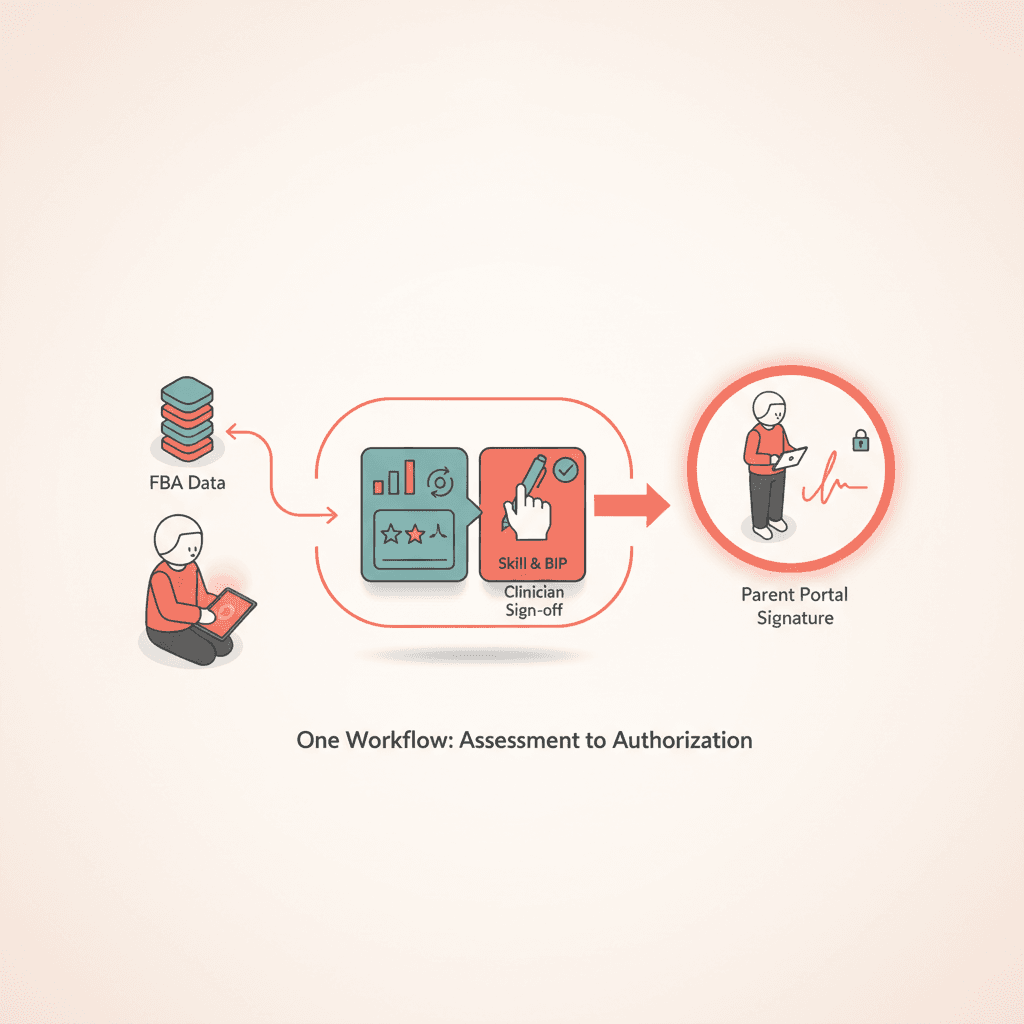
ABA plan of care software ties FBA data, skill and BIP tables, clinician sign-off, and parent portal signatures—one workflow from assessment to authorization.
ABA plan of care software should do more than store a PDF. It should carry forward FBA conclusions, turn them into measurable goals and a behavior intervention plan, capture the clinician signature, and hand off a finalized version to the parent portal—without re-keying the same behavior definitions in three systems. For center leaders and BCBAs, the question is not whether you need a template; it is whether your template lives on the same client record as intake, diagnostics, and authorization.
This article explains a practical FBA-to-signature workflow and what to demand from software before you migrate off shared drives.
What is ABA plan of care software?
ABA plan of care software is clinical documentation tooling on the client record that structures treatment plans for payer and clinical use: assessment summaries, medical necessity, recommended hours, skill acquisition tables, behavior reduction and BIP sections, caregiver training, signatures, and exportable PDFs. Strong platforms connect the POC stage in intake to authorization submission so coordinators see clinician-signed and parent-signed checkpoints before pending authorization work begins.
Start on the client record, not in a blank document
When the FBA lives in one folder and the POC in another, behavior definitions drift. Names change, baseline numbers disagree, and medical necessity still describes last month's intensity. Plan of care software anchors drafting to the same record as the intake pipeline, so FBA summaries and assessment uploads are one click away—not an email hunt.
TargetFlo models POC as a stage after diagnostics and FBA, with document completion advancing the referral card when your center configures those rules.
Step 1: Import FBA findings into POC structure
The FBA should feed section-style fields on the plan: target behaviors, operational definitions, setting events, function summaries, and baseline rates. Software worth buying preserves those strings when you generate BIP rows and behavior reduction goals.
| FBA element | POC destination |
|---|---|
| Operational definition | Behavior reduction goal row |
| Baseline rate | Mastery table starting point |
| Hypothesized function | BIP strategy selection |
| Measurement method | Data collection plan narrative |
If your team retypes this matrix, you are paying BCBA hours for data entry. Plan of Care and BIP tooling should map FBA fields into goal and BIP tables with clinician override always available.
Step 2: Build skill acquisition and behavior reduction tables
Payers and clinical auditors read tables first. Skill goals need baseline, mastery criterion, method, and timeline. Behavior reduction goals need replacement behavior links and alignment to the BIP. Software should enforce row structure without locking clinicians into generic text.
For Medicaid centers in North Carolina, checklist-aligned section prompts help coordinators see missing medical necessity or schedule narratives before upload—see educational mapping on Medicaid POC standards without treating software as a guarantee of approval.
Step 3: Medical necessity, schedule, and caregiver training
Narrative sections still matter. Medical necessity should reference assessment severity and risk. Schedule sections should match what operations can actually staff. Caregiver training goals should be specific enough that RBT supervision logs support them later.
AI assist can propose first drafts from structured assessment context, but the BCBA owns edits. Assistive features accelerate empty fields; they do not autonomously finalize clinical decisions.
Step 4: Clinician review, lock, and sign
The BCBA or qualified clinician reviews the full plan, locks the version, and signs in-system. That signature event should stamp time and user on the document version payers receive.
Clinician-first signing matters for liability and for parent trust. Guardians should never sign a plan that might change materially after their attestation. TargetFlo records clinician signature timestamps before parent signature requests go out—details on parent Plan of Care signatures.
Step 5: Parent portal review and signature
After clinician sign-off, notify the guardian through the portal—not a PHI-heavy SMS. The parent reads the same version the clinician signed, acknowledges required sections if your policy demands it, and e-signs on phone or desktop.
Signed artifacts stay on the record with signer identity and timestamp so authorization staff attach the correct PDF. Compare paper cycles in Digital Plan of Care signing for time savings your coordinators can measure.
Step 6: Authorization handoff
Once both signatures are present, the referral should advance to pending authorization with a checklist green on POC tasks. Billing and auth teams pull the signed PDF and goal summaries without asking the BCBA to export again.
Link POC content to units and CPT context in your billing workflow so authorized hours match the signed plan.
Choosing software: questions for operations and clinical
Ask vendors:
- Does POC live on the client record tied to FBA and assessment uploads?
- Can you version revised POCs and trigger re-signature?
- Is parent signature chained after clinician signature with audit trail?
- Do PDF exports match payer upload requirements your state uses?
- Is AI explicitly assistive with clinician review before sign?
Avoid tools that treat the POC as a generic form builder with no intake stage awareness.
Common failure modes
- Parallel templates — Word POC plus EHR goals that disagree.
- Parent sign before clinician — rework when goals change.
- No version history — auditors ask which plan was in effect on a date of service.
- Missing BIP linkage — FBA targets do not match reduction goals.
Fixing these is process plus system design, not more weekend charting.
Book a demo
See FBA-linked POC drafting, clinician sign, and parent portal signature on one referral card. Book a Demo with your clinical director and intake lead in the same session.
Educational content only; not legal or billing advice. Payer rules vary by plan, state, and contract.
- ABA plan of care software
- FBA to POC workflow
- behavior intervention plan software
- ABA parent signature
Véalo en TargetFlo
Saquemos la admisión del fax
Reserve una demo de 30 minutos: mapeamos su flujo de referidos al pipeline de 9 etapas, conectamos su fax y mostramos elegibilidad en admisión.
Reservar demoFAQ